riffle is free, runs in your browser, and lets you start making music without first learning how the whole thing works.
Here’s a closer look at both, and what each one is really good at, so you can figure out which one belongs in your workflow.
at a glance
| riffle | FL Studio | |
|---|---|---|
| Price | Currently free | Paid once, with free updates for life |
| Getting started | Open a tab | Download and install |
| Learning curve | Gentle - you're making music fast | Steep - it's a full DAW and there's a lot to learn |
| How you make music | Start with sounds, ideas, and experiments | Build songs with a full set of production tools |
| The workspace | An infinite canvas to explore ideas + timeline view for when you want to lock in | A structured timeline and arrangement workspace |
| Starting a song | Start anywhere - a sample, voice, beat, instrument, or idea | Usually starts with building out patterns and arranging them |
| Making beats & melodies | Simple, approachable, and also deep | Deep and highly customizable |
| Sounds & instruments | Samples, virtual instruments and AI-powered tools | Huge library of instruments, effects, samples and plugins |
| Collaboration | Multiple people can make music on the same board in real time | Primarily built for working solo |
| AI | AI co-producer that can create and edit alongside you | AI features are not a core part of the workflow |
| Sharing | Publish and share your work directly from riffle | Export your finished track and share it elsewhere |
| Works offline | No | Yes |
FL Studio: A closer look
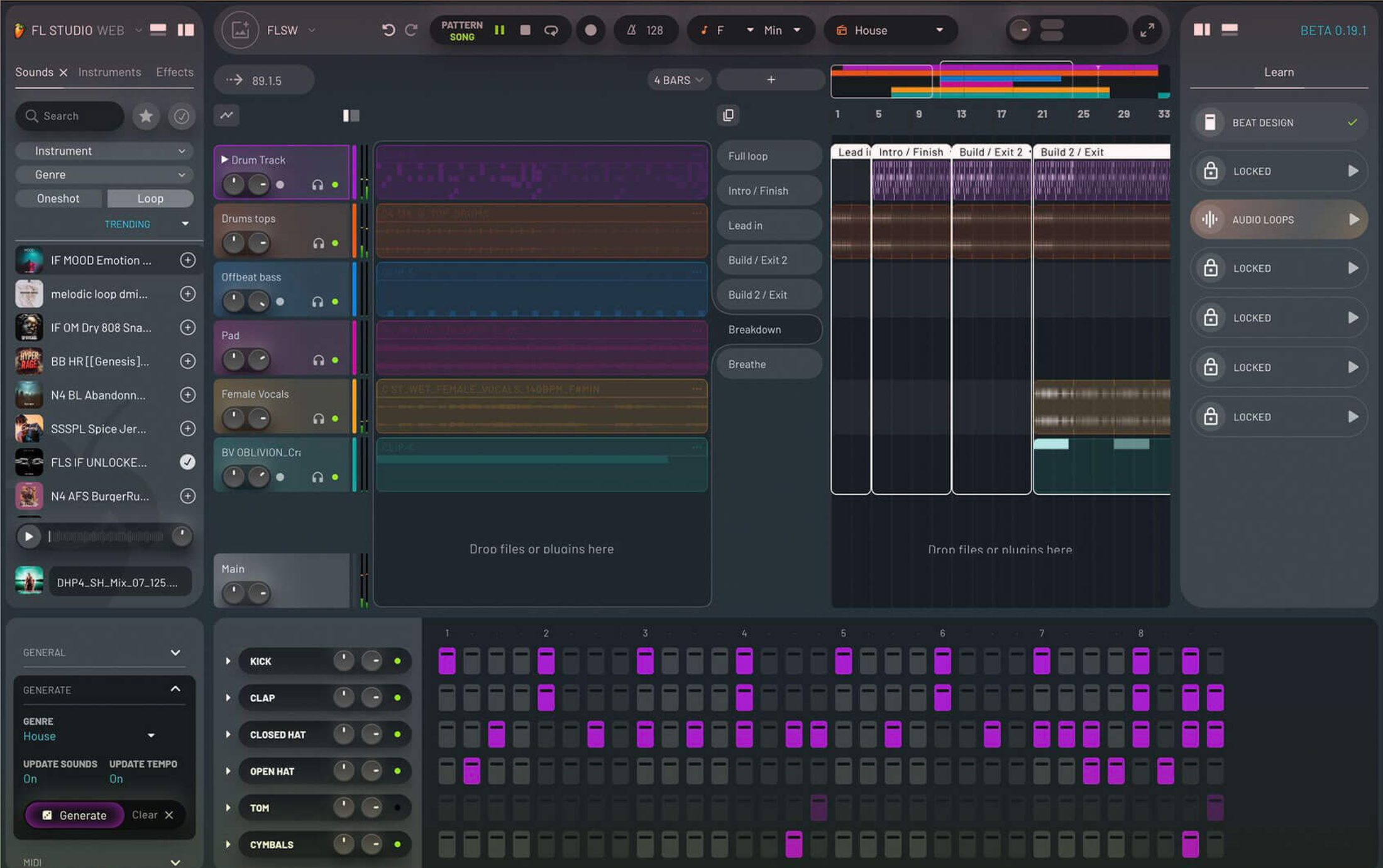
FL Studio is the kind of tool you can spend years learning. You get pretty much everything you'd expect from a full production studio: instruments, samples, effects, recording, editing, mixing, and a huge amount of control over how every part of your track works.
You can build drum patterns, write melodies and chords note by note, and arrange everything into a finished song. Once you know your way around it, there's very little standing between you and the sound you're trying to make.
The tradeoff is that when you first open it, you're looking at a lot of windows, tools, and options - and figuring out what everything does is part of the learning curve.
It's also a desktop app, so there's a download and setup before you can start making anything.
But if you stick with it, FL Studio is a tool you can start with and keep growing into for years. And because you pay once and get updates for life, that depth becomes a pretty good deal over time.
riffle: infinite canvas for music
riffle starts from a different question: what if you could make music before you knew how to use a DAW?
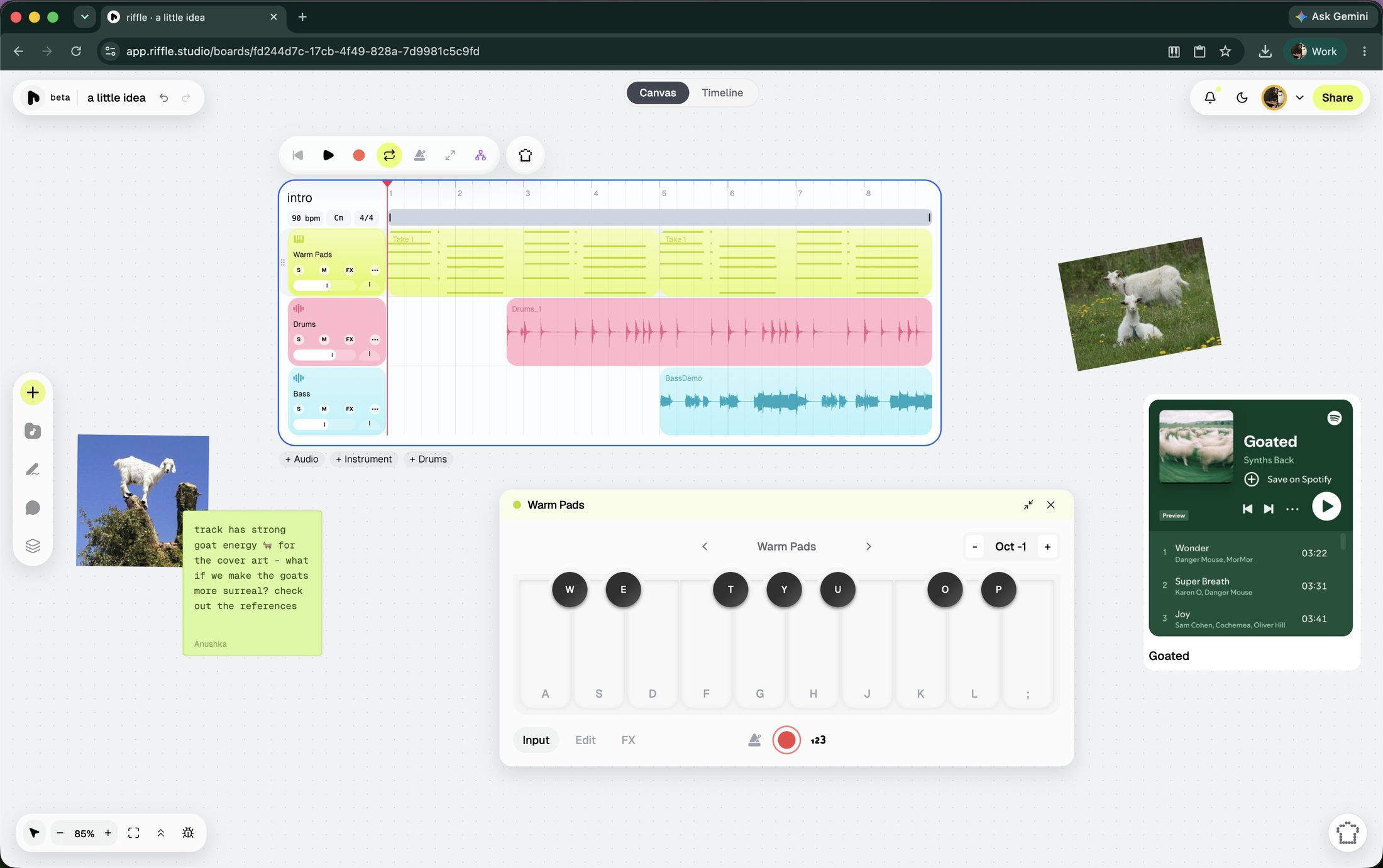
riffle is a browser-native musical ecosystem, built for how music actually gets made today. Open a board and there are several ways in: record audio into your mic, play a virtual instrument, drag in a sample to set the vibe, jam with the sampler, use/remix a template, or ask sous chef (our intelligent, ethical, assistive AI) for a starting point. The canvas also accepts images, embeds, and notes, so reference material lives right next to the music instead of in a separate tab.
Instead of putting everything straight onto a timeline, you can keep different ideas next to each other, move things around, try combinations, and figure out the song as you go.
Real-time collaboration is one of riffle's core features. Invite friends or collaborators to edit the board and build a track with you live, or bring someone in as a comment-only collaborator if you're looking for feedback.
When a stack is ready, you can turn it into a drop: a track or stack shared publicly, straight from riffle. Give it a cover art, and decide whether it stays private, goes fully public, or gets sent directly to whoever needs to hear it. Anyone can listen and comment through a drop link - no download or account required.
Your work isn't trapped in the platform once you're done, either. Export lets you choose specific stacks or individual stems, downloadable as .wav or .daw files, ready for any tool you may want to use, including FL Studio.
Then there's Sous chef - the co-producer that lives on every riffle board. On principle, sous chef does not generate full songs - what it generates are samples, 2/4/8/16 bar loops you duplicate, chop, stretch, and reshape however you like. It can split a track into two or six stems, detect tempo & key of imported audio files, and edit clips directly on the board. You can also talk to sous chef, if typing isn't your thing.
The same assistant also picks up less glamorous jobs - one-click mixing and mastering, listening to what you've made and giving specific, honest notes on what to change, and more. By default, changes the sous chef makes are previewed before they're applied.
Also, riffle does not and never will use models that aren't ethically trained. The same principle shows up in how sous chef behaves too - it favors surfacing a sound that already exists over generating a new one, and when it does generate, it aims for the smallest, cheapest version.
riffle is currently in beta and free for early users.
faq
Should I learn FL Studio or riffle first?
If you're completely new to making music, riffle is probably the easier place to start. There's nothing to install, and you can start making music almost immediately.
Is FL Studio free?
FL Studio has a free trial, but the full version is a one-time purchase. Once you own it, you get free updates for life. riffle is currently free, with no purchase required to make and share music.
Do I need to know how to make music to use riffle?
Nope. You don't need to know music theory or have used a DAW before. You can start with a sample, record something, play an instrument, or just mess around and see what happens.
Is riffle a DAW?
riffle is a music-making tool, but it doesn't work like a traditional DAW. Instead of starting with a linear timeline and building from left to right, you get an infinite canvas where you can collect ideas, experiment, arrange them, and collaborate. There's also a timeline mode for when you're actually ready to lock in.
Why does riffle use a canvas instead of a timeline?
A timeline is great when you already know how you want your song to unfold. But when you're still figuring it out, a timeline doesn't give you the space to wander and explore. riffle gives you an open canvas where you can throw down a sample, a beat, a vocal idea, or a few half-formed ideas and work out what belongs together first. When you're ready to lock in on something, you can enter the timeline mode and take it to the finish line.
Can I use riffle and FL Studio together?
Yes. You can export your work from riffle as .wav or .daw files and bring those files into FL Studio if you want to keep producing there.
Can I collaborate with other people in riffle?
Yes. Multiple people can work on the same board in real time, or you can invite someone to listen and leave comments.
Does riffle use AI to make songs?
Sous Chef can generate samples and loops, but the idea is to give you material to work with rather than hand you a finished song. It can also edit your board, manipulate audio, mix and master, and give you feedback on what you've made.
Is riffle free?
riffle is currently in beta and free for early users.
riffle is free while we're in beta.
open a board and make something in the next few minutes.
free · no download · no card required